

Most restaurant owners don’t lose money in one big mistake. They lose it in small leaks: a discount nobody approved, a drawer that’s a little short at closing, a dish that sells well but quietly earns almost nothing, a happy customer who never leaves a review, an unhappy one who leaves a bad one.
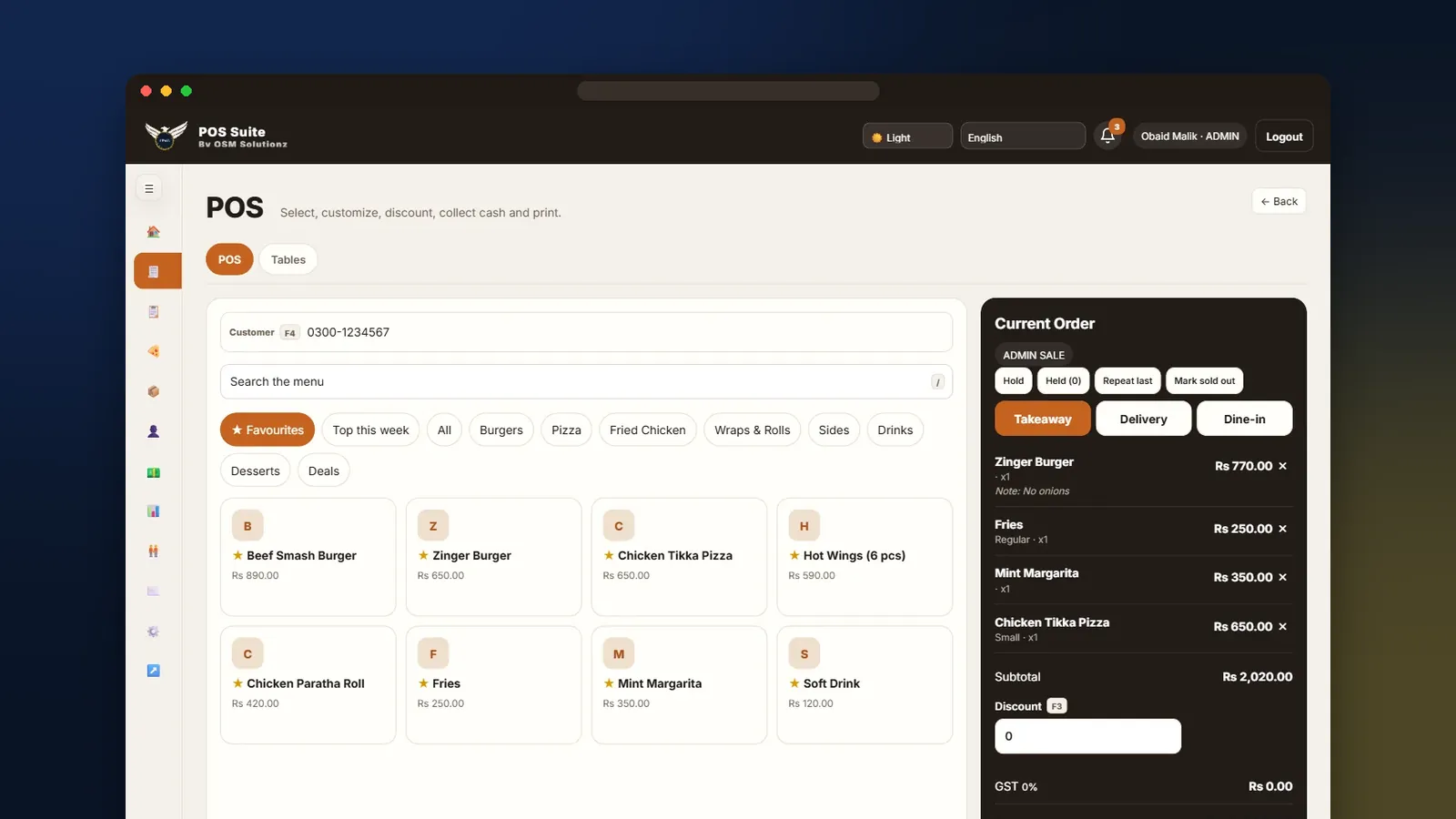
A cash register records sales. POS Suite was built to close those leaks. It runs the counter, the kitchen, the tables, the online orders and the owner’s numbers from one system, and it was shaped inside a working fast-food kitchen before it was ever offered to anyone else.
This article walks through what makes it different, and why each feature matters to the business, not just to the cashier.
Built Around How a Restaurant Really Works
POS Suite started as a custom system for one busy shop. Every feature had to survive real lunch rushes, real cash counts and real staff changes. That origin shows in the details: the things it does are the things owners kept asking for.
It comes in one package that runs two ways:
- On a single shop PC, fully offline. A Windows installer sets up everything it needs. Billing never stops because the internet did.
- Online, on hosting, with your own customer ordering website, daily report emails and access from anywhere.
The same features, the same screens, the same training. You choose how your shop runs.
Features You Won’t Find in an Ordinary Till
An “Order Ready” Time on Every Receipt
Each product can carry a preparation time. When an order is placed, POS Suite works out when it will be ready: the slowest item in the order, plus extra minutes when the kitchen is busy, plus delivery time where needed. The receipt prints “Ready around 7:45 PM”, and the kitchen copy prints “Ready by”.
Why it matters: customers stop asking “how long?”, the kitchen works to a clear target, and online customers see a realistic time instead of a guess.
A Feedback QR That Grows Your Google Reviews
Every receipt can carry a QR code. The customer scans it, taps one to five stars and can leave a comment, with no app and no login.
- Four or five stars: they’re invited to review you on Google, using your own review link.
- One to three stars: the comment comes privately to the owner, with the order attached, and shows up in “Needs attention”.
The owner can also point the QR to any link they choose, and preview and test it before printing.
Why it matters: your happiest customers are guided to your public reviews, and problems reach you first, privately, while you can still fix them. For most restaurants, Google reviews decide who gets the next order.
Menu Performance: Know What Really Earns
The Menu performance report places every item into one of four groups, over the last 7, 30 or 90 days:
| Group | What it means | What to do |
|---|---|---|
| Star | Sells a lot, earns well | Protect it and feature it |
| Workhorse | Sells a lot, earns little | Review the price or the recipe cost |
| Puzzle | Sells little, earns well | Promote it or move it up the menu |
| Dog | Sells little, earns little | Rework it or remove it |
Profit comes from your own recipe costs, so the advice is based on your kitchen, not on averages.
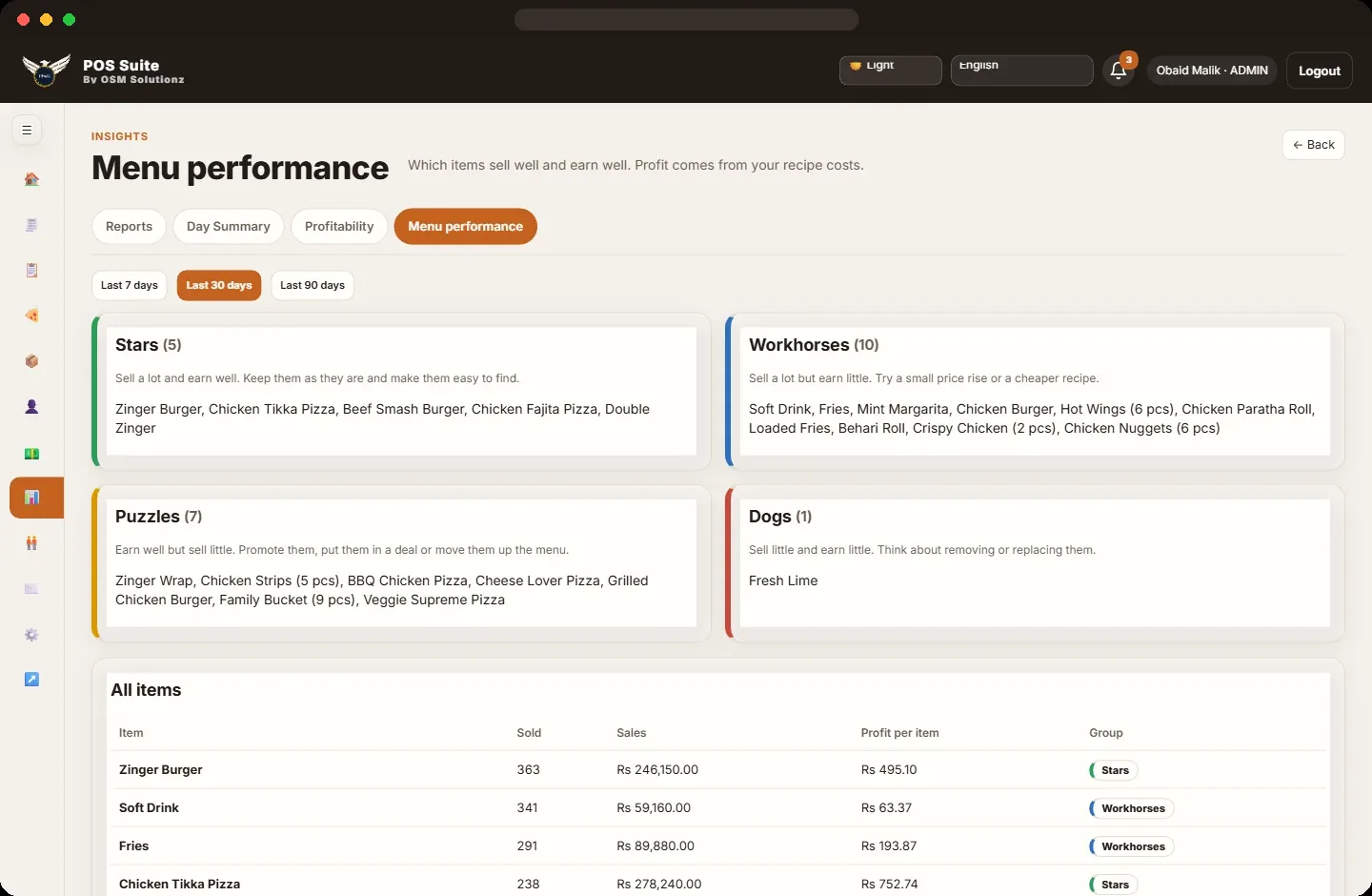
Why it matters: menu decisions stop being gut feeling. One price change on a popular workhorse can be worth more than a month of extra sales.
A Purchase List That Goes Straight to Suppliers on WhatsApp
POS Suite tracks stock through recipes. The Purchase list shows every ingredient that’s at its reorder level, or that will run out within the days you choose, with a suggested quantity based on the last 14 days of use. It’s grouped by supplier, and each supplier’s list can be printed or sent on WhatsApp with one tap, ready to go.
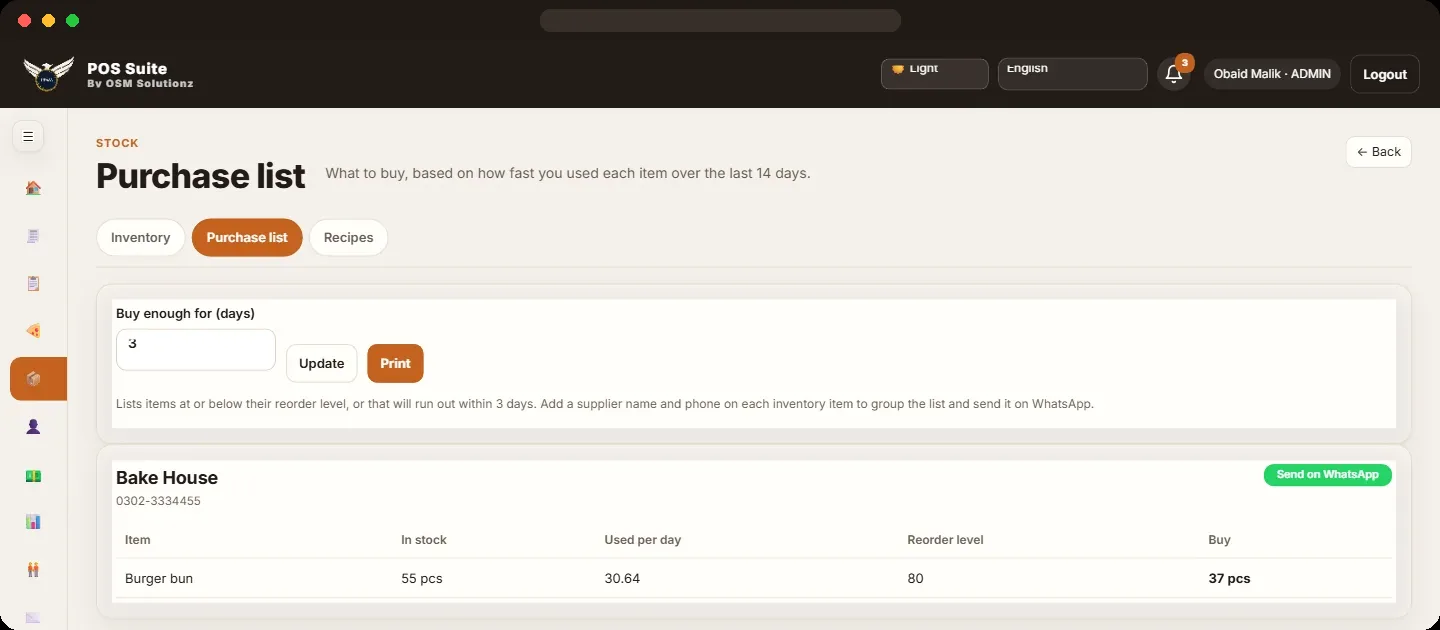
Why it matters: fewer “sorry, it’s finished” moments, less over-buying, and ordering that takes minutes instead of a phone call per supplier.
Dine-In Tables, Done Properly
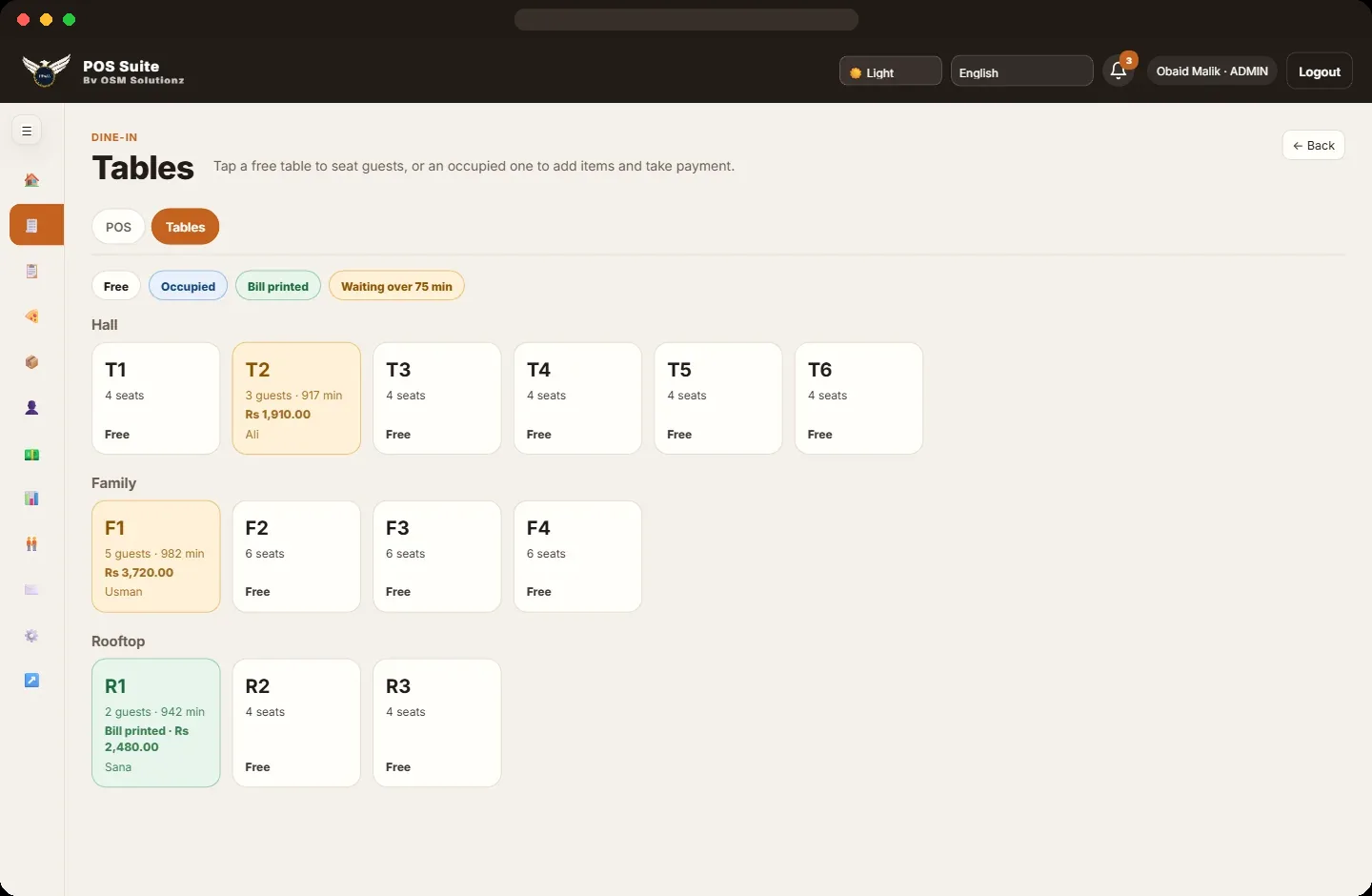
For restaurants with seating, POS Suite adds a full table service:
- A floor view of every area and table: free, occupied, bill printed, or highlighted when guests have waited too long
- Orders sent in rounds, each with its own kitchen ticket, and an optional kitchen printer
- Move guests to another table, or merge two tables into one bill
- A guest bill with service charge and tax, then split by items or equally between 2 to 10 people
- Reports on sales by table and area, average spend per guest and table turnover
Removing an item that was already sent to the kitchen needs a manager PIN and prints a VOID slip, so nothing disappears quietly.
Why it matters: faster tables, fewer billing arguments, and a clear view of which areas and tables actually earn.
18 Languages, Including Right-to-Left
Each staff member chooses their own language. The cashier can work in Urdu while the owner reads reports in English. Urdu, Arabic and Persian mirror the whole layout from right to left, with fonts included so they work on an offline PC.
The customer website has a language switcher, menu items can have names in each language, and receipts can print in the shop’s language with the English name underneath. Region settings cover 33 countries: currency, number and date format, time zone and tax name (GST, VAT and more).
The translations are marked “Beta” until a native speaker reviews them, and the owner can download, correct and upload any language as a spreadsheet.
Why it matters: staff learn faster in their own language, mistakes drop, and the same system can serve a shop in Lahore, Riyadh or Dubai.
Control That Protects the Owner
Leaks happen when nobody is watching. POS Suite watches for you.
- Manager-PIN approvals for big discounts, cancels, returns and cash taken out of the drawer. Wrong PINs are counted on the server, so signing out doesn’t reset the limit.
- Shift opening and closing with expected cash, plus petty cash in and out, so every difference is visible at handover.
- Owner, Manager and Cashier roles. The owner ticks exactly what each manager may use; managers manage cashiers only. Staff who leave are archived, not deleted, so old receipts keep their names.
- An audit log of important actions, and settings history with undo.
- Two-step login for owners, staff PINs and an automatic screen lock.
Why it matters: honest staff are protected, mistakes are caught early, and the owner can step away without losing control.
Faster at the Counter
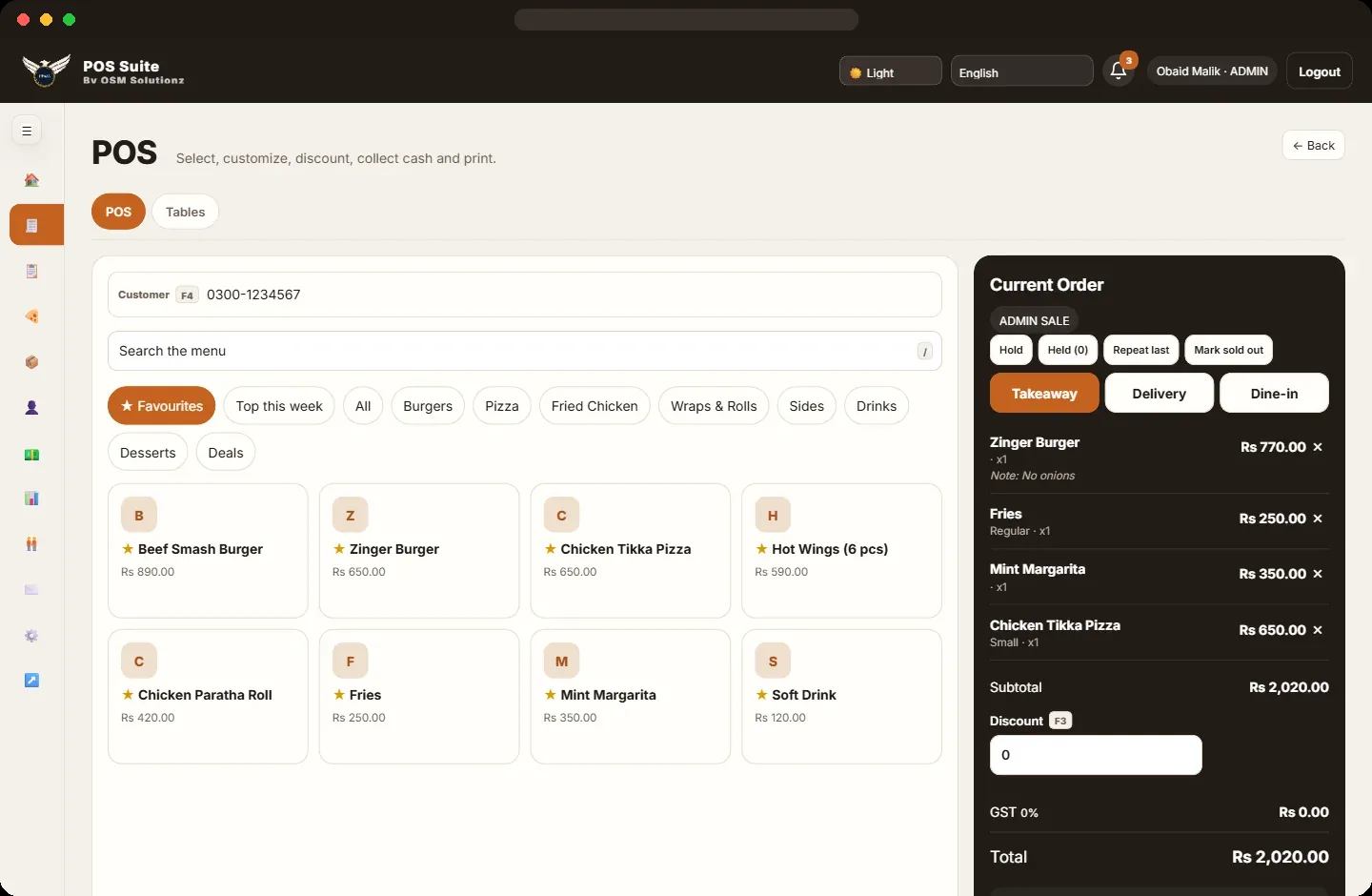
Speed is money during a rush. The POS is built for it:
- Search the menu by typing a few letters, with keyboard shortcuts for quick hands
- Favourites (up to 24 fast sellers on every till) and an automatic “Top this week” tab
- Deals for any product: build a combo part by part, such as burger, side and drink, each with choices and optional extra charges
- Time-based deals like a lunch offer, and sold-out items that come back on their own
- Hold an order and resume it, or repeat the last order
- Token numbers printed large, and item notes (“no onions”) highlighted on the kitchen copy
- Direct thermal printing with automatic cut and cash drawer
Takeaway, Delivery and Dine-in can each be switched on or off for the POS and for the website, so the screen only shows what your shop actually does.
Your Own Ordering Website
The online edition includes a customer website with your menu, cart and checkout, plus FAQ, Privacy, Terms and Contact pages, a WhatsApp ordering button, promo codes and a pop-up for offers. It comes ready for Google: a sitemap, robots file, link previews and optional Google Analytics 4.
Forms are protected against spam bots and abuse, and payment screenshots for bank transfers are stored privately, visible to staff only.
Why it matters: online orders on your own brand, with no marketplace commission, going straight into the same system your counter uses.
Owner Tools That Turn Data Into Decisions
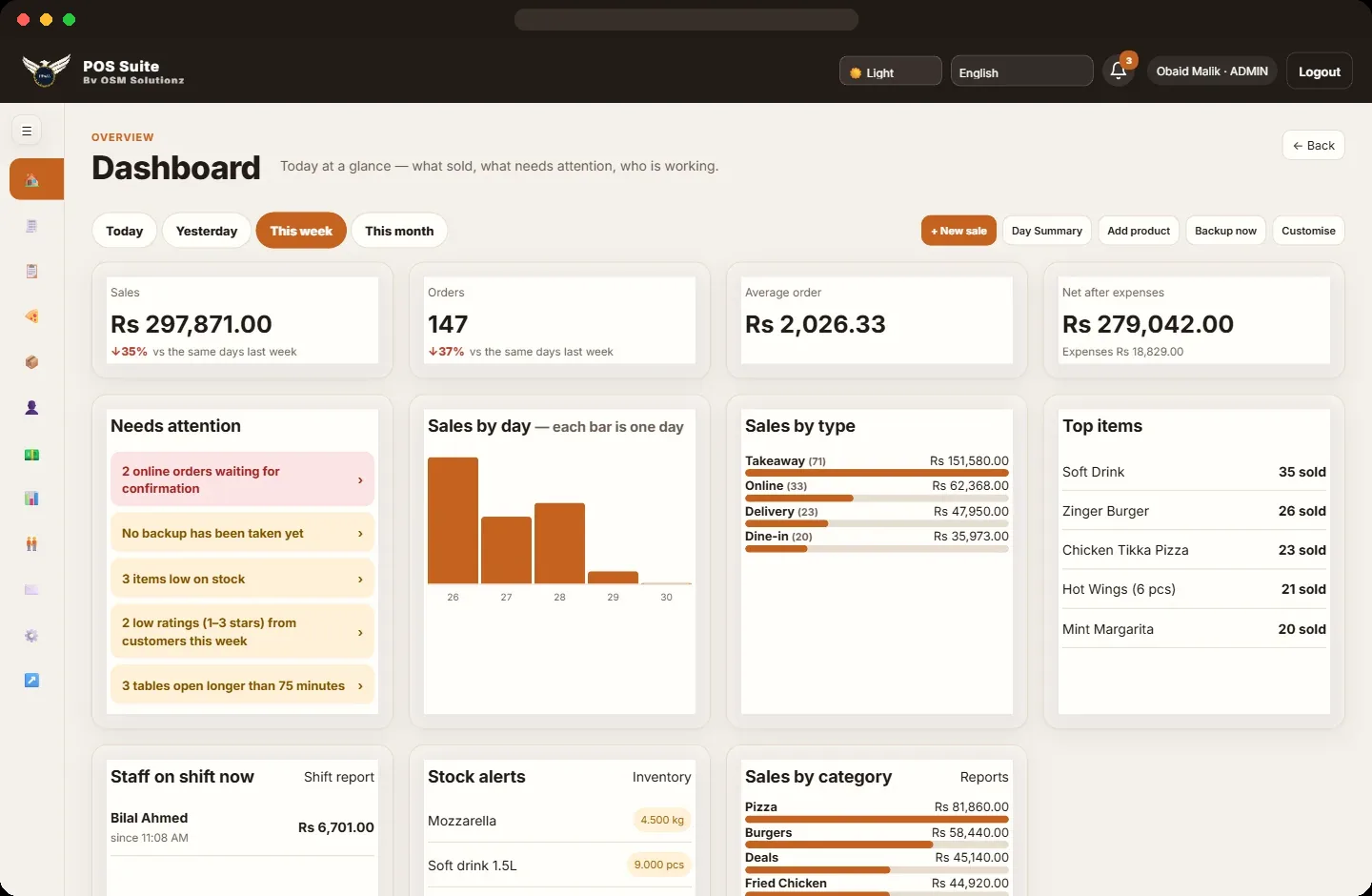
- An owner dashboard with today, yesterday, this week and this month, comparisons, cash in drawers, hourly sales against last week, top items and a Needs attention list
- A Day Summary on one printable page, and a daily report by email (online) or a “Yesterday at a glance” card (offline)
- Profitability, inventory, recipes, expenses and customers in one place
- Import the menu from Excel or CSV, with a preview before anything changes and a backup taken first
- A “Finish setting up” checklist that guides a new shop from logo to first backup
What This Means for Your Business
Put together, POS Suite changes the shape of a working day:
- Service gets faster: search, favourites, deals and clear ready times keep the queue moving.
- Money stops leaking: approvals, shift cash checks and roles close the gaps.
- Your reputation grows: happy customers are guided to Google, unhappy ones reach you first.
- The menu earns more: you know which items to push, reprice or retire.
- Stock stays under control: purchase lists are ready before you run out.
- You can grow: add tables, online ordering or a new language when you need them, without changing systems.
Our Values, Built Into the Product
POS Suite reflects the way we work at OSM Solutionz:
- Honesty: we tell you what it does and what it doesn’t. New translations are marked Beta until reviewed, and every release lists its known limits.
- Your data is yours: backups, exports and settings history with undo, on your PC or your hosting.
- Security from day one: two-step login, PINs, protected forms and a licensing system with hardware binding.
- Support from the people who built it: setup help and support directly on WhatsApp.
Our principle is Vision to Reality. For a restaurant owner, that vision is simple: a shop that runs smoothly, even on the busiest night.
See It in Your Own Restaurant
The best way to judge a POS is to use it with your own menu. We offer a free demo and a free trial: we set POS Suite up with your products, show your team the counter, kitchen and reports, and help you go live when you’re ready.
Request a free demo or message us on WhatsApp.